A team workspace turns useful individual work into a shared operating system. Teammates can use the same public agents and workflows while keeping their own chats, connected accounts, and permission grants separate.
If your team currently keeps prompts in a document, think of the workflow as the executable version of that prompt library: it includes the instruction, supporting files, when to use it, and the output standard. A workflow stays trigger-free. Add an automation only when the team wants it to run on a schedule or event.
Build your shared workflow library
The practical path from one useful result to a repeatable team process is:
- Run the task yourself. Start with a real job and make sure the result is useful before standardizing it.
- Turn the method into a workflow. Keep the repeatable procedure, required inputs, references, output format, and review rules.
- Make the workflow public. Public workflows can be discovered and used by other members of the same workspace.
- Invite teammates. Add members from Settings → People and give each person the appropriate role.
- Let each member connect their own accounts. Sharing a workflow does not share the creator's inbox, tokens, private chats, or personal approvals.
- Run it from Web Chat or Slack. The same public workflow can be invoked by name wherever the owning agent is available.
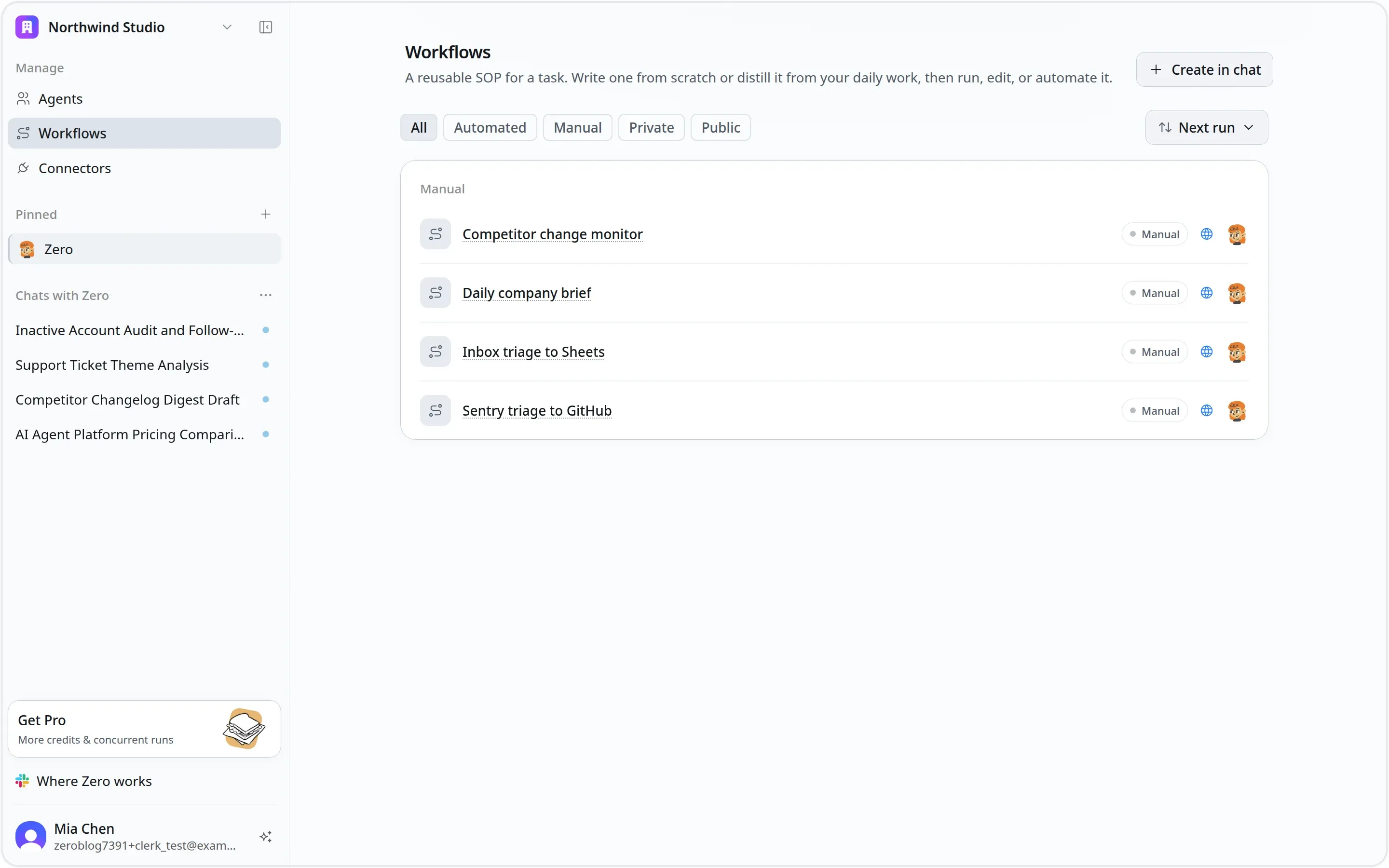
A public workflow gives the workspace one reviewed method without forcing everyone to share one account.
Team setup guides
Use these guides in order for a first rollout, or jump directly to the part you need:
Create workflow instructions with your agent
Turn a successful run into a durable procedure together with your agent. Let the agent draft the workflow, then review the places where your team needs clear constraints.
Share workflows with your team
Understand private versus public visibility, publish a workflow inside the workspace, invoke it by name, and copy it to another agent when a team needs a safe fork.
Invite teammates
Prepare the shared agent and workflow, invite members from Settings → People, assign Admin or Member access, and manage pending invitations.
Join a team workspace
Accept an invitation, switch into the correct workspace, find shared agents and workflows, connect your own services, and complete a safe first run.
Use shared workflows in Slack
Install the Slack app, connect each member, add Okou to a channel, invoke a workflow with Okou, and keep follow-up work in one thread.
What is shared and what stays personal
| Shared with the workspace | Kept within a member, agent, or run |
|---|---|
| Public agents and their role definitions | Private agents |
| Public workflows and attached reference files | Private workflows |
| The workflow method, expected output, and quality bar | A member's private chats and unshared artifacts |
| Results deliberately posted to Slack, Notion, GitHub, Sheets, or another shared system | Member-owned connector credentials and personal account data |
| Workspace-level integrations and settings, where supported | Each agent's authorization and each named permission grant |
| A workflow that teammates can invoke | An automation's owner, trigger, and connected access |
Publishing a workflow shares the method, not the workflow creator's credentials. When another member runs it, Okou uses that member's available connections and the permissions granted to the selected agent.
The three team objects
| Object | What it defines | Team behavior |
|---|---|---|
| Agent | The role, operating context, and available capabilities | A public agent is available to workspace members. A private agent is not. |
| Workflow | A reusable procedure for one task | Every workflow belongs to one agent and has its own Public or Private visibility. |
| Automation | A trigger, a workflow, an agent, and an owner | It runs asynchronously using the owner's connected access. It is not part of the workflow instruction itself. |
This separation matters. Publish the agent and workflow when you want people to use the same method. Create an automation only when the team has agreed on who owns the recurring run, what triggers it, and where the result should go.
A good first team workflow
Choose a task that already crosses a handoff, such as qualifying an inbound lead, reviewing a customer escalation, preparing a weekly metric brief, triaging a bug report, or drafting a content review.
A strong first workflow has:
- one clear outcome;
- inputs every teammate can identify;
- approved sources or attached references;
- a predictable output format;
- explicit rules for actions that need human approval;
- a shared destination for the result.
Start by running it manually with two people. Update the instruction after the second person finds missing context. Once the workflow produces consistent results, decide whether it also needs an automation.
Related guides
- Agents explains public and private agents.
- Workflows covers workflow creation and invocation.
- Automations adds schedules and event triggers.
- Permissions explains connections, authorization, and grants.
- Slack covers the full Slack integration.